For iPhoneBeta
The game lives in the app.
Point the camera at a sign. It reads the numbers; you make them true. Post it, and it lands on the map here and in everyone’s app.
Open this page on your iPhone, or scan the code.
What it does
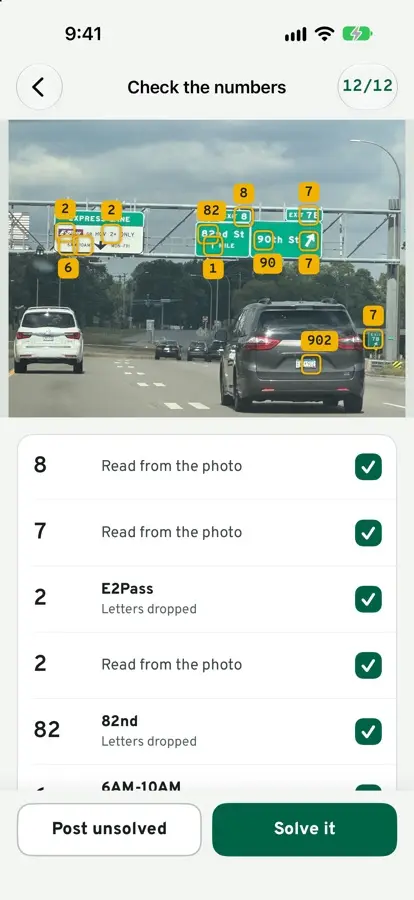
The camera reads the numbers
Passenger mode boxes every number it can find. You check them before you start.
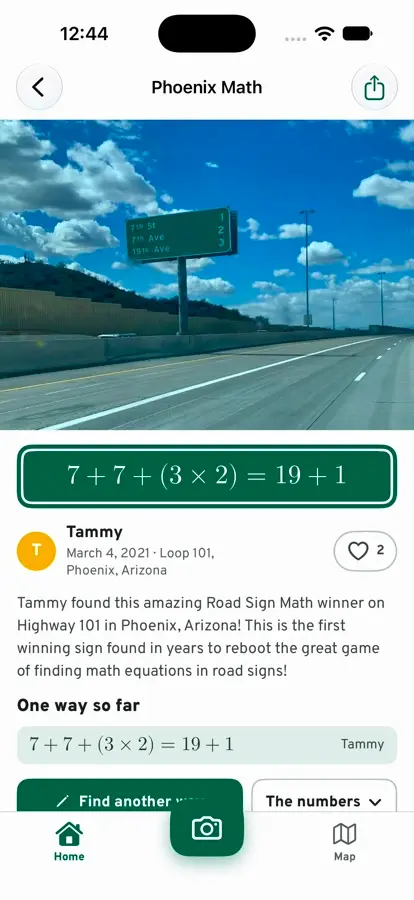
Find another way
Every sign can hold more than one way. The keypad has square roots, powers and stacked fractions, and says “It works” when it does.
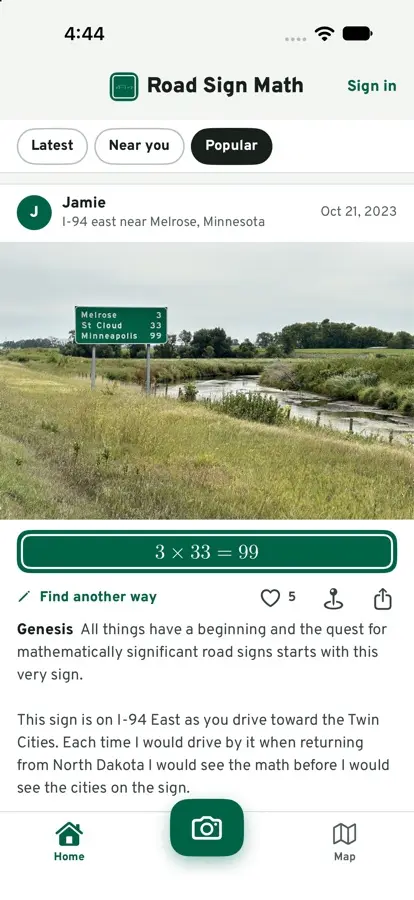
Popular and nearby
See what others found, heart the good ones, and earn badges for the road.
Joining the beta
Get TestFlight
Apple’s free app for trying beta apps. It’s in the App Store.
Open the beta link on your iPhone
Tap Join the iPhone beta on this page, then Accept in TestFlight.
Install and sign in
Sign in with your email: the app sends a code and a link. There’s no password.
- Does it cost anything?
- No. The beta is free.
- Do I need an account to look around?
- No. In the app you sign in only to post a sign, add a way or heart one. This site never asks you to.
- What will other people see?
- Your player name and photo, the signs you post with their photos, your math and your badges. Never your email.
- Android?
- Not yet. This site shows every sign on any phone.
How to play
Spot a sign
Any sign with numbers. The passenger takes the photo.
Make it true
Use the numbers with any math you like. It just has to be true.
Put it on the map
It shows up on the map and with every sign, here and in the app.